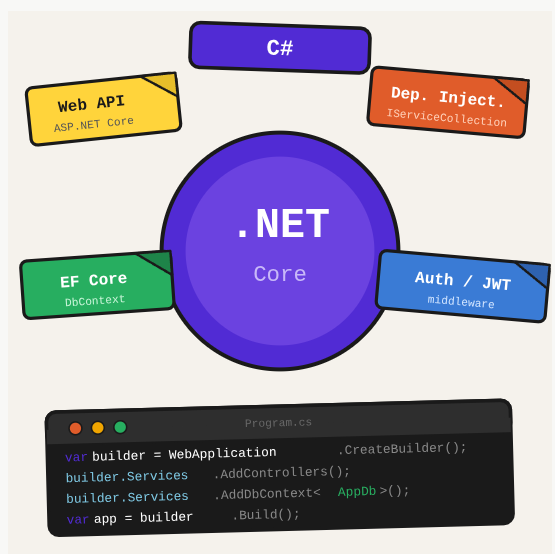
.NET Core is Microsoft’s cross-platform, open-source runtime for building web APIs, background services, and console apps. This reference covers the patterns that come up in real production applications.
TL;DR: A .NET Core reference covering web APIs, dependency injection, Entity Framework Core, authentication with JWT, and Azure deployment.
Stack: .NET Core, C#, ASP.NET Core, Entity Framework Core
Level: Intermediate
Reading time: ~30 min
Create a project and basic routing
dotnet new web

// Program.cs
var builder = WebApplication.CreateBuilder(args);
var app = builder.Build();

app.MapGet("/", () => "Hello World");
app.MapGet("/product/{id}", ([FromRoute] int id) => Results.Ok(id));
app.MapPost("/product", (Product p) => Results.Created($"/product/{p.Id}", p));

app.Run();
Configuration
// appsettings.json
{
  "Database": {
    "Connection": "Server=localhost;Database=Products;User Id=sa;Password=yourPassword"
  }
}

// Reading in code
var conn = builder.Configuration["Database:Connection"];
Entity Framework Core
dotnet add package Microsoft.EntityFrameworkCore
dotnet add package Microsoft.EntityFrameworkCore.SqlServer
dotnet add package Microsoft.EntityFrameworkCore.Design

// DbContext
public class ApplicationDbContext : DbContext {
    public DbSet<Product> Products { get; set; }

    protected override void OnConfiguring(DbContextOptionsBuilder options) {
        options.UseSqlServer("your-connection-string");
    }

    protected override void OnModelCreating(ModelBuilder builder) {
        builder.Entity<Product>().Property(p => p.Name).HasMaxLength(500);
    }
}

builder.Services.AddDbContext<ApplicationDbContext>();
Migrations
dotnet tool install --global dotnet-ef
dotnet ef migrations add InitialCreate
dotnet ef database update

# Rollback to specific migration
dotnet ef database update NameOfMigration
JWT Authentication
dotnet add package Microsoft.AspNetCore.Authentication.JwtBearer
dotnet add package Microsoft.AspNetCore.Identity.EntityFrameworkCore

// Setup in Program.cs
builder.Services.AddAuthentication(x => {
    x.DefaultAuthenticateScheme = JwtBearerDefaults.AuthenticationScheme;
    x.DefaultChallengeScheme = JwtBearerDefaults.AuthenticationScheme;
}).AddJwtBearer(options => {
    options.TokenValidationParameters = new TokenValidationParameters() {
        ValidateAudience = true,
        ValidateIssuer = true,
        ValidateLifetime = true,
        ValidateIssuerSigningKey = true,
        ValidIssuer = builder.Configuration["JwtSettings:Issuer"],
        ValidAudience = builder.Configuration["JwtSettings:Audience"],
        IssuerSigningKey = new SymmetricSecurityKey(
            Encoding.UTF8.GetBytes(builder.Configuration["JwtSettings:SecretKey"]))
    };
});

builder.Services.AddAuthorization();
Dapper for advanced queries
dotnet add package Dapper

var db = new SqlConnection(configuration["Database:Connection"]);
var users = db.Query<UserResponse>(
    "SELECT Email, Name FROM Users ORDER BY Name OFFSET (@page-1)*@rows ROWS FETCH NEXT @rows ROWS ONLY",
    new { page, rows }
);
Azure Functions
Azure Functions are serverless resources on Azure that can be triggered by HTTP requests, timers, queues, and Event Grid. Important: by default, all Azure resources use UTC timezone. For Brazil, add WEBSITE_TIME_ZONE = “E. South America Standard Time” in your function app configuration to avoid timestamps being 3 hours ahead.
What you’ve built
A .NET Core reference covering the full stack: web API setup with minimal API, database access with Entity Framework Core, migrations, JWT authentication with Identity, and Dapper for complex queries.
Next steps
- Use the built-in dependency injection container from day one. Constructor injection keeps code testable and prevents global state.
- Commit EF Core migrations to source control and never modify the production database manually.
- Use IOptions for strongly-typed configuration binding instead of reading IConfiguration directly outside of startup code.
Questions or feedback? Find me on LinkedIn or GitHub.