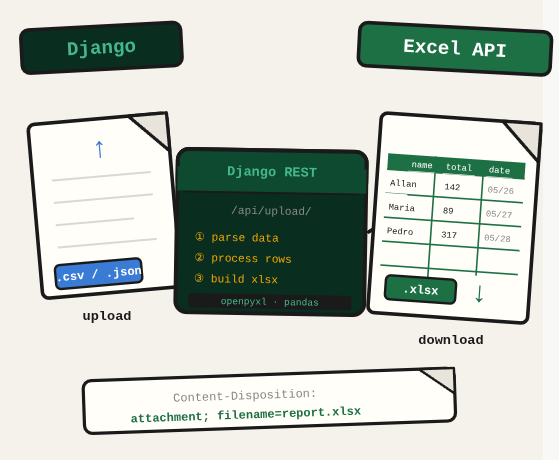
Building a DRF endpoint that accepts Excel uploads and returns a processed Excel file requires handling multipart form data, reading it with pandas, transforming it, and streaming the output file back in the response. Each of those steps has its own failure mode.
TL;DR: Build a Django REST Framework API that accepts an Excel file upload, processes rows with pandas, and returns a new Excel file in the response.
Stack: Python, Django, Django REST Framework, pandas, openpyxl
Level: Intermediate
Reading time: ~7 min
The view
The view handles the full pipeline: validate the uploaded file, save it temporarily, read it with pd.read_excel(), transform the rows, write a new Excel file, and return it as a FileResponse.
import os
import pandas as pd
from django.conf import settings
from django.http import FileResponse
from rest_framework.views import APIView
from rest_framework.response import Response
from .serializers import FileUploadSerializer
from django.core.files.storage import default_storage
from .protocols import MyExtractorRequest

class MyExtractorView(APIView):
    def post(self, request, format=None):
        requested_items = []
        serializer = FileUploadSerializer(data=request.data)

        if serializer.is_valid():
            file = serializer.validated_data['file']
            file_path = default_storage.save(file.name, file)

            try:
                data = pd.read_excel(file_path)

                for index, row in data.iterrows():
                    item = MyExtractorRequest()
                    item.title = row['title']
                    item.year = row['year']
                    requested_items.append(item.__dict__)

                new_data = pd.DataFrame(requested_items)
                output_path = os.path.join(settings.BASE_DIR, 'output.xlsx')
                new_data.to_excel(output_path, index=False)

                return FileResponse(
                    open(output_path, 'rb'),
                    content_type='application/vnd.openxmlformats-officedocument.spreadsheetml.sheet'
                )
            except Exception as e:
                return Response({'error': str(e)}, status=400)

        return Response(serializer.errors, status=400)
Serializer
from rest_framework import serializers

class FileUploadSerializer(serializers.Serializer):
    file = serializers.FileField()
Data model
class MyExtractorRequest:
    title: str
    year: str
What you’ve built
A complete DRF endpoint that accepts an Excel upload, transforms each row using a typed model, builds a new DataFrame, and streams the resulting Excel file back as a downloadable response.
Next steps
- Clean up temporary uploaded files after the response is sent to avoid filling your server’s disk over time.
- Add input validation at the pandas level: check that required columns exist before processing rows.
- For large files, process rows asynchronously with Celery and return a task ID so the client can poll instead of waiting on a long HTTP request.
Questions or feedback? Find me on LinkedIn or GitHub.