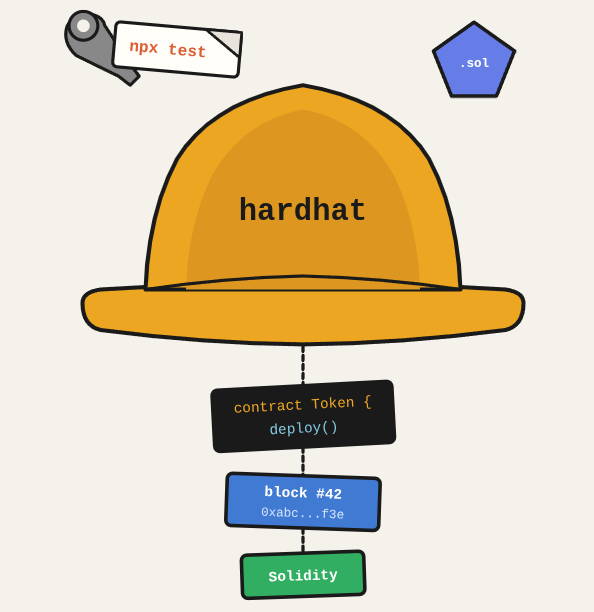
Before deploying a smart contract to any network, you write it in Solidity, compile it with Hardhat, and test it locally. Hardhat gives you a local blockchain, a testing framework, and deployment scripts all in one package.
TL;DR: Write, compile, and test a Solidity smart contract using Hardhat with a local blockchain network.
Stack: Hardhat, Solidity, Node.js, Ethers.js
Level: Intermediate
Reading time: ~10 min
Initialize the project
npx hardhatChoose “Create a TypeScript project” and install the sample project dependencies.
Create the smart contract
Create a file in the contracts/ folder, for example contracts/HelpChains.sol:
// SPDX-License-Identifier: MIT
pragma solidity ^0.8.26;

contract HelpChains {
    address payable public address1 = payable(0xAAAA1111BBBB2222CCCC3333DDDD4444EEEE5555);
    address payable public address2 = payable(0xBBBB2222CCCC3333DDDD4444EEEE5555FFFF6666);

    struct Transaction {
        uint256 amount;
        address from;
        address to;
        uint256 timestamp;
    }

    Transaction[] public donations;
    Transaction[] public withdrawals;

    function donate() external payable {
        require(msg.value > 0, "Value must be greater than 0");
        uint256 half = msg.value / 2;
        address1.transfer(half);
        address2.transfer(msg.value - half);
        donations.push(Transaction({
            amount: msg.value,
            from: msg.sender,
            to: address(0),
            timestamp: block.timestamp
        }));
    }

    function withdraw() external {
        uint256 balance1 = address1.balance;
        uint256 balance2 = address2.balance;
        require(balance1 > 0 || balance2 > 0, "No balance to withdraw");
        if (balance1 > 0) {
            address1.transfer(balance1);
            withdrawals.push(Transaction({amount: balance1, from: address1, to: address1, timestamp: block.timestamp}));
        }
        if (balance2 > 0) {
            address2.transfer(balance2);
            withdrawals.push(Transaction({amount: balance2, from: address2, to: address2, timestamp: block.timestamp}));
        }
    }

    function getDonations() external view returns (Transaction[] memory) { return donations; }
    function getWithdrawals() external view returns (Transaction[] memory) { return withdrawals; }
}
Compile
npx hardhat compileConfigure ignition module
// ignition/modules/HelpChainsModule.ts
import { buildModule } from "@nomicfoundation/hardhat-ignition/modules";

const HelpChainsModule = buildModule("HelpChainsModule", (m) => {
    const helpChains = m.contract("HelpChains", []);
    return { helpChains };
});

export default HelpChainsModule;
Configure local network (hardhat.config.ts)
import { HardhatUserConfig } from "hardhat/config";
import "@nomicfoundation/hardhat-toolbox";

const config: HardhatUserConfig = {
    solidity: "0.8.24",
    defaultNetwork: "local",
    networks: {
        local: {
            url: "http://127.0.0.1:8545",
            chainId: 31337,
            accounts: {
                mnemonic: "test test test test test test test test test test test junk"
            }
        }
    }
};

export default config;
Run locally and deploy
# Start local node
npx hardhat node

# Deploy (add to package.json scripts first)
# "deploy:dev": "npx hardhat ignition deploy ignition/modules/HelpChains.ts --network local"
npm run deploy:dev
Interact via console
npx hardhat console --network local

const HelpChains = await ethers.getContractFactory("HelpChains");
const helpChains = await HelpChains.attach("DEPLOYED_CONTRACT_ADDRESS");
await helpChains.donate({ value: ethers.parseEther("1.0") });
let donations = await helpChains.getDonations();
console.log(donations);
What you’ve built
A Hardhat project with a compiled Solidity contract, a working local deployment script, and the tools to interact with it via console.
Next steps
- Write tests that cover edge cases and failure conditions, not just the happy path. Smart contract bugs cannot be patched after deployment.
- Use Hardhat’s console.sol for debugging during development: import “hardhat/console.sol” lets you print variables to the terminal from Solidity.
- Run
npx hardhat coverageto see which lines of your Solidity code are covered by tests before deploying to a testnet.
Questions or feedback? Find me on LinkedIn or GitHub.