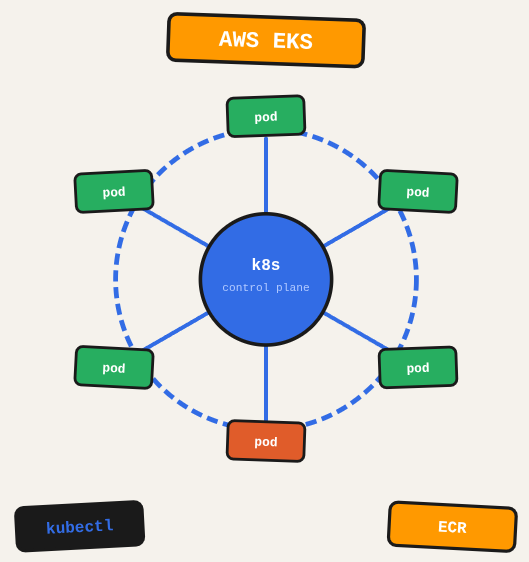
Kubernetes is the gold standard for container orchestration, but running it yourself is operational overhead you don’t need. EKS gives you a managed control plane so you can focus on your workloads instead of the cluster itself.
TL;DR: Set up an AWS EKS cluster, deploy workloads, configure networking and storage, and manage the cluster with kubectl and the AWS CLI.
Stack: AWS EKS, Kubernetes, kubectl, Docker, ECR
Level: Advanced
Reading time: ~25 min
Install eksctl
curl --silent --location "https://github.com/weaveworks/eksctl/releases/latest/download/eksctl_$(uname -s)_amd64.tar.gz" | tar xz -C /tmp
sudo mv /tmp/eksctl /usr/local/bin
Create EKS cluster
eksctl create cluster --name my-cluster --region sa-east-1 --nodes 2 --nodes-min 1 --nodes-max 3 --node-type m5.largeKubernetes core concepts
Think of a Kubernetes cluster as a city. Pods are the buildings (smallest deployable unit), Services are the streets that route traffic to buildings, Deployments are the city planning rules that say how many buildings of each type should exist, and Ingress is the highway entrance that routes visitors from outside the city to the right street.
Pod
apiVersion: v1
kind: Pod
metadata:
  name: my-pod
spec:
  containers:
  - name: nginx
    image: nginx:latest
Service
apiVersion: v1
kind: Service
metadata:
  name: my-service
spec:
  selector:
    app: my-app
  ports:
  - protocol: TCP
    port: 80
    targetPort: 8080
Deployment
apiVersion: apps/v1
kind: Deployment
metadata:
  name: my-deployment
spec:
  replicas: 3
  selector:
    matchLabels:
      app: my-app
  template:
    metadata:
      labels:
        app: my-app
    spec:
      containers:
      - name: nginx
        image: nginx:latest
Ingress
apiVersion: networking.k8s.io/v1
kind: Ingress
metadata:
  name: example-ingress
spec:
  rules:
  - host: example.com
    http:
      paths:
      - path: /
        pathType: Prefix
        backend:
          service:
            name: my-service
            port:
              number: 80
ConfigMap and Secret
ConfigMaps hold non-sensitive configuration (env vars, settings), Secrets hold sensitive data (passwords, tokens) in base64 format. Both can be injected as environment variables or mounted as volumes inside pods.
DaemonSet
Ensures one pod runs on every node in the cluster. Used for logging agents, monitoring collectors, and network plugins. When a new node joins, the DaemonSet pod appears automatically.
StatefulSet
Like a Deployment but for stateful apps. Each pod gets a stable identity and persistent storage across restarts. Used for databases like PostgreSQL or Redis.
RBAC (Role-Based Access Control)
ServiceAccount, Role/ClusterRole, and RoleBinding/ClusterRoleBinding work together to control what pods and users can do in the cluster. A Role is namespace-scoped, a ClusterRole applies cluster-wide.
Allow dev access to the cluster
aws eks update-kubeconfig --region sa-east-1 --name my-cluster
kubectl get configmap aws-auth -n kube-system -o yaml > aws-auth.yaml
Edit aws-auth.yaml to add IAM users under mapUsers with the system:masters group, then apply it back.
Useful commands
kubectl get pods -A               # All pods across all namespaces
kubectl get svc -n my-namespace   # Services in a namespace
kubectl describe pod my-pod       # Debug a specific pod
kubectl logs my-pod -f            # Tail pod logs
kubectl apply -f manifest.yaml    # Apply a manifest
kubectl delete -f manifest.yaml   # Delete resources from a manifest
What you’ve built
A running EKS cluster with workloads deployed, networking configured, and the tooling set up for day-to-day operations.
Next steps
- Use managed node groups for your EKS worker nodes: AWS handles OS patching and node replacement, which is a significant operational reduction.
- Set resource requests and limits on every pod. Without limits, a single misbehaving pod can starve the entire node.
- Use AWS Load Balancer Controller to create ALBs and NLBs from Kubernetes Ingress and Service resources, keeping infrastructure management inside the cluster.
Questions or feedback? Find me on LinkedIn or GitHub.