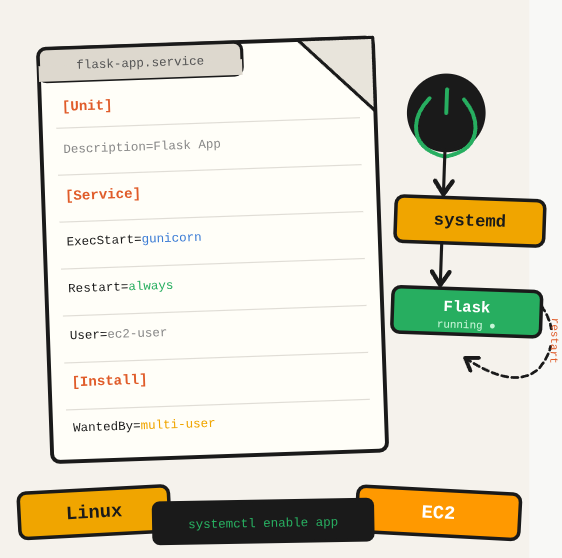
You deployed your Flask app to EC2 and everything works. Then the instance restarts after a maintenance event and the app doesn’t come back up. The fix is a systemd service: it tells Linux to start your app automatically on every boot, restart it if it crashes, and manage logs through journald.
TL;DR: Create a systemd service on Linux to auto-start a Flask app on boot and keep it running after crashes.
Stack: Linux, systemd, Flask, EC2
Level: Intermediate
Reading time: ~5 min
Create the systemd service file
sudo nano /etc/systemd/system/movies-similarity.service[Unit]
Description=Movies Similarity Service
After=network.target
[Service]
User=ubuntu
WorkingDirectory=/home/ubuntu/myapp
ExecStart=/home/ubuntu/myapp/venv/bin/flask run --host=0.0.0.0 --port=5001
Environment="PATH=/home/ubuntu/myapp/venv/bin"
Restart=always
[Install]
WantedBy=multi-user.targetThe key fields: ExecStart is the command to run, Restart=always means systemd will restart the process if it exits for any reason, and WantedBy=multi-user.target makes it start on every normal boot.
Enable and start the service
sudo systemctl daemon-reload
sudo systemctl enable movies-similarity.service
sudo systemctl start movies-similarity.service
Debug
journalctl -u movies-similarity.service -fWhat you’ve built
A systemd service that starts your Flask app automatically on every boot, restarts it on crashes, and writes logs to the journal. The same pattern works for any long-running process: FastAPI apps, workers, background jobs.
Next steps
- Use
journalctl -u your-service.service -fto tail logs in real time when debugging startup issues. - Add a HealthCheck script to the service configuration so systemd can restart it if the app starts but isn’t responding to HTTP.
- For production, put Nginx in front of Flask and manage Nginx as a separate systemd service.
Questions or feedback? Find me on LinkedIn or GitHub.