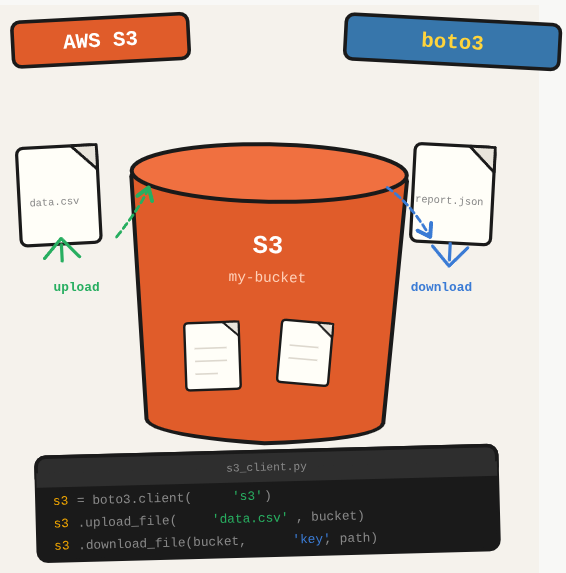
Every AWS application eventually needs to persist files: user uploads, generated reports, Lambda artifacts, data exports. S3 is the default answer, and boto3 makes reading and writing to it straightforward from Python.
TL;DR: Read and write files to AWS S3 using Python and boto3, including upload, download, and bulk file listing.
Stack: Python, boto3, AWS S3
Level: Beginner
Reading time: ~5 min
Upload a file to S3
import boto3
import json

s3 = boto3.client('s3',
    aws_access_key_id='YOUR_ACCESS_KEY',
    aws_secret_access_key='YOUR_SECRET_KEY'
)

def upload_to_s3(data: dict, bucket: str, key: str) -> bool:
    try:
        json_str = json.dumps(data, indent=2)
        with open('/tmp/export.json', 'w') as f:
            f.write(json_str)
        s3.upload_file('/tmp/export.json', bucket, key)
        print("Upload successful")
        return True
    except Exception as e:
        print(f"Upload failed: {e}")
        return False
Download all files from a bucket
import boto3

s3 = boto3.client('s3')
bucket_name = 'my-bucket'

objects = s3.list_objects(Bucket=bucket_name)['Contents']

for obj in objects:
    file_name = obj['Key']
    try:
        s3.download_file(bucket_name, file_name, f'./files/{file_name}')
        print(f"{file_name} downloaded successfully.")
    except Exception as e:
        print(f"Error downloading {file_name}: {e}")
What you’ve built
Working Python code for uploading files to S3 and downloading all files from a bucket. The upload pattern works for structured data exports, and the download loop is useful for data ingestion pipelines that pull from S3 on schedule.
Next steps
- Use s3.put_object(Bucket=bucket, Key=key, Body=bytes_data) for in-memory uploads without writing a temporary file to disk first.
- Add S3 event notifications to trigger a Lambda function automatically when a new file is uploaded to a prefix.
- Use presigned URLs (s3.generate_presigned_url) to give temporary, expiring access to private S3 objects without making the bucket public.
Questions or feedback? Find me on LinkedIn or GitHub.