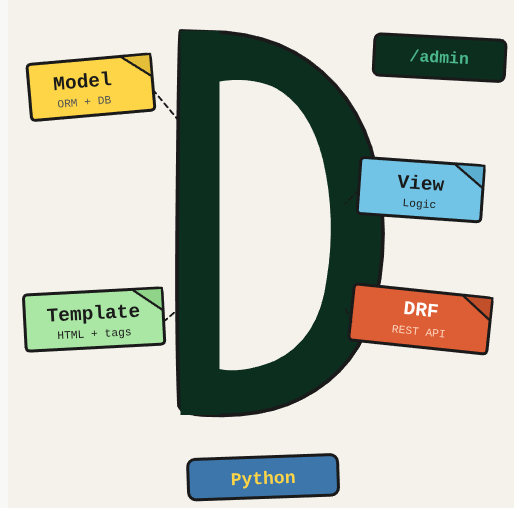
Django has many moving parts. This post is a reference for the patterns you use repeatedly: models, views, templates, the ORM, migrations, the admin panel, and DRF.
TL;DR: A Django reference covering models, ORM queries, views, URLs, templates, migrations, admin, and Django REST Framework basics.
Stack: Python, Django, Django REST Framework
Level: Beginner
Reading time: ~15 min
Install Django, create project and app
pip install django
django-admin startproject myproject .
python manage.py startapp myapp
Configure database connection
# Install driver for PostgreSQL (Ubuntu)
sudo apt-get install libpq-dev
pip install psycopg2-binary

# settings.py
DATABASES = {
    'default': {
        'ENGINE': 'django.db.backends.postgresql',
        'NAME': 'postgres',
        'USER': 'admin',
        'PASSWORD': '123456',
        'HOST': 'localhost',
        'PORT': '5432',
    }
}

# Run migrations
python3 manage.py makemigrations
python3 manage.py migrate
python manage.py createsuperuser
Django REST Framework
pip install djangorestframework

# settings.py
INSTALLED_APPS = [
    ...
    'rest_framework',
]
View (APIView)
from rest_framework.response import Response
from rest_framework import status
from rest_framework.views import APIView
from application.use_cases.add_instrument.add_instrument import AddInstrument
from application.use_cases.add_instrument.protocols.add_instrument_request import AddInstrumentRequest

class AddInstrumentView(APIView):
    def post(self, request):
        name = request.data.get('name')
        if name is None:
            return Response({"message": "name is required"}, status=status.HTTP_400_BAD_REQUEST)

        use_case_request = AddInstrumentRequest(name=name)
        use_case = AddInstrument()
        use_case_response = use_case.execute(use_case_request)
        return Response({"name": use_case_response.name}, status=status.HTTP_200_OK)
Use case and protocols
from app.models import Instrument
from application.use_cases.add_instrument.protocols.add_instrument_request import AddInstrumentRequest

class AddInstrument:
    def execute(self, request: AddInstrumentRequest):
        instrument = Instrument.objects.create(name=request.name)
        return instrument

class AddInstrumentRequest:
    def __init__(self, name: str):
        self.name = name

class AddInstrumentResponse:
    def __init__(self, name: str):
        self.name = name
Routes
# project/urls.py
urlpatterns = [
    path("admin/", admin.site.urls),
    path('api/', include('presentation.urls')),
]

# presentation/urls.py
urlpatterns = [
    path('add-instrument', AddInstrumentView.as_view()),
    path('list-instruments', ListInstrumentView.as_view()),
]
JWT Authentication
pip install djangorestframework-simplejwt

# settings.py
REST_FRAMEWORK = {
    "DEFAULT_AUTHENTICATION_CLASSES": (
        "rest_framework_simplejwt.authentication.JWTAuthentication",
    ),
}

SIMPLE_JWT = {
    "ACCESS_TOKEN_LIFETIME": timedelta(days=1),
    "REFRESH_TOKEN_LIFETIME": timedelta(days=1),
    "ROTATE_REFRESH_TOKENS": True,
    "BLACKLIST_AFTER_ROTATION": True,
    "AUTH_HEADER_TYPES": ("Bearer",),
}
What you’ve built
A complete Django reference covering the framework from models to deployment-ready patterns. Come back here when you need to look up a specific Django pattern quickly.
Next steps
- Use select_related() for ForeignKey and OneToOne relationships to avoid N+1 queries, and prefetch_related() for ManyToMany and reverse ForeignKey.
- Use Django signals (post_save, pre_delete) for side effects that should happen after model operations, keeping views and business logic clean.
- Enable Django Debug Toolbar in development to see all SQL queries per request. Most Django performance issues are database-related.
Questions or feedback? Find me on LinkedIn or GitHub.