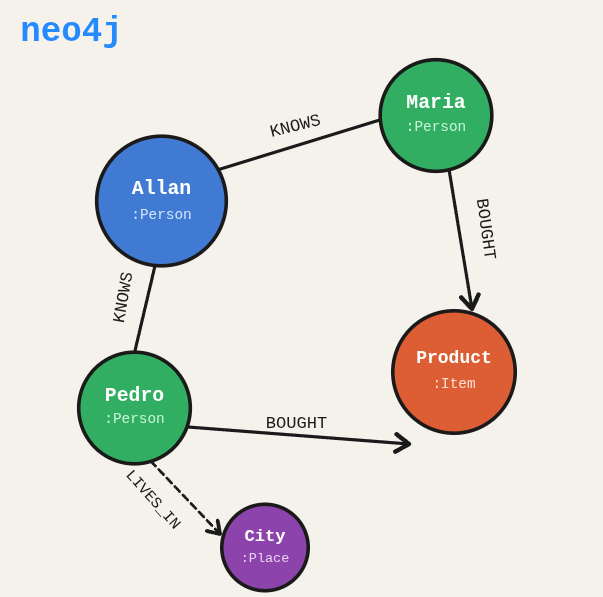

Your data has relationships that SQL tables cannot represent cleanly. A social network query like “who are the friends-of-friends of Allan who bought a product that users in the same city also bought” turns into a JOIN nightmare in relational databases. Neo4j was built for exactly this kind of query.
TL;DR: Install and configure Neo4j on Ubuntu, secure it with authentication, and get the database running locally.
Stack: Neo4j, Ubuntu, systemd, Cypher
Level: Beginner
Reading time: ~8 min
Think of Neo4j as a map rather than a spreadsheet. In a spreadsheet you store data in rows and look things up by column. On a map, every point knows about its neighbors. Neo4j gives your data that spatial awareness.
Installing Neo4j on Ubuntu
These steps install Neo4j from the official repository, start it as a system service, and enable password authentication. Works on Ubuntu 18.04 through 24.04.
Prerequisites
- Ubuntu 18.04, 20.04, 22.04, or newer
- Administrator access (sudo)
- Internet connection
Installation Steps
1. Add the GPG repository key
Neo4j is not in Ubuntu’s default package list, so you need to add their repository. First, add the signing key so apt can verify the packages.
wget -O - https://debian.neo4j.com/neotechnology.gpg.key | sudo apt-key add -
2. Add the Neo4j repository
Register the Neo4j Debian repository so the next apt install knows where to fetch the package from.
echo 'deb https://debian.neo4j.com stable latest' | sudo tee -a /etc/apt/sources.list.d/neo4j.list
3. Update packages
Refresh the package index so apt picks up the new Neo4j repository.
sudo apt update
4. Install o Neo4j
sudo apt install neo4j
5. Start the service
Start Neo4j for the first time. Give it a few seconds to initialize before trying to connect.
sudo systemctl start neo4j
6. Enable auto-start on boot
Without this, you would have to manually start Neo4j every time the server reboots. Not great at 3am when something goes wrong.
sudo systemctl enable neo4j
Security Configuration
By default, Neo4j runs without enforcing authentication. Enable it now before you expose this to anything beyond localhost.
7. Edit the configuration file
sudo nano /etc/neo4j/neo4j.conf
Find and uncomment the following line (remove the leading #):
dbms.security.auth_enabled=true
8. Restart Neo4j
Restart so the config change takes effect.
sudo systemctl restart neo4j
9. Set the default user password
Neo4j ships with the default credentials neo4j/neo4j. Connect via the shell to change the password immediately.
cypher-shell -u neo4j -p neo4j
Once inside the Cypher shell, set a new password (replace novaSenha with your actual password) and exit:
ALTER USER neo4j SET PASSWORD 'suaNovaSenha';
:exit
Accessing Neo4j
With the service running and authentication configured, open the Neo4j Browser to explore your data visually.
- Web interface: http://localhost:7474
- Default user:
neo4j - Password: the one you set in Step 9
Useful Commands
Check service status:
sudo systemctl status neo4j
Stop the service:
sudo systemctl stop neo4j
Restart the service:
sudo systemctl restart neo4j
View logs:
sudo journalctl -u neo4j
Troubleshooting
If Neo4j is not responding, check these three things:
- Whether the service is running:
sudo systemctl status neo4j - Whether port 7474 is open:
sudo netstat -tulpn | grep 7474 - Whether your firewall allows port 7474:
sudo ufw status
Uninstalling Neo4j
To completely remove Neo4j:
sudo apt remove neo4j
sudo apt purge neo4j
sudo apt autoremove
What you’ve built
You have a working Neo4j instance on Ubuntu, secured with authentication, running as a system service that survives reboots. The database is accessible through both the web browser interface and the cypher-shell CLI. From here you can start modeling your domain as nodes and relationships and running Cypher queries against real data.
Next steps
- Load some data with
LOAD CSVor the Neo4j data import tool, and write your firstMATCHqueries to traverse relationships. - Try the official Python driver (
neo4jpackage) to connect from a backend service and run Cypher programmatically. - If you are running this on a remote server, configure Neo4j to listen on a specific IP and restrict access at the firewall level rather than leaving it open on all interfaces.